Protect your flow
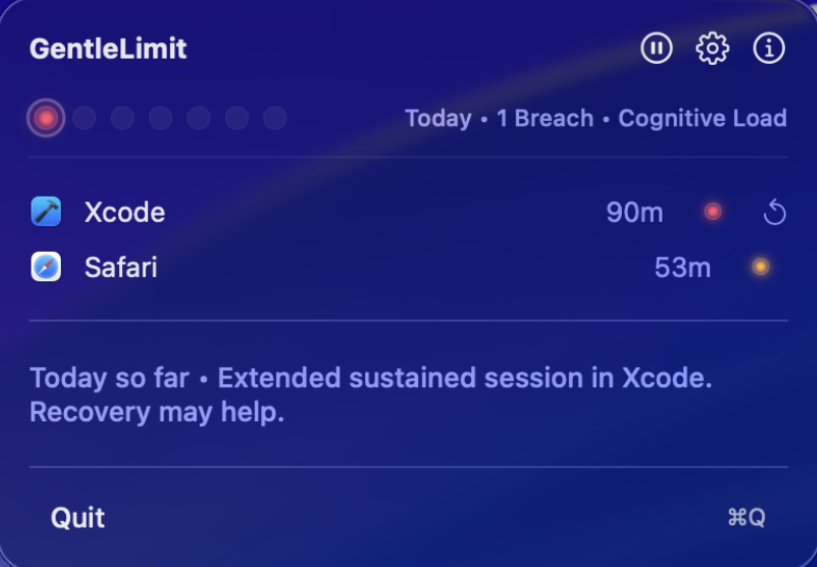
GentleLimit preserves momentum. Alerts are subtle, reflective, and designed to inform — not interrupt.
Know your rhythm
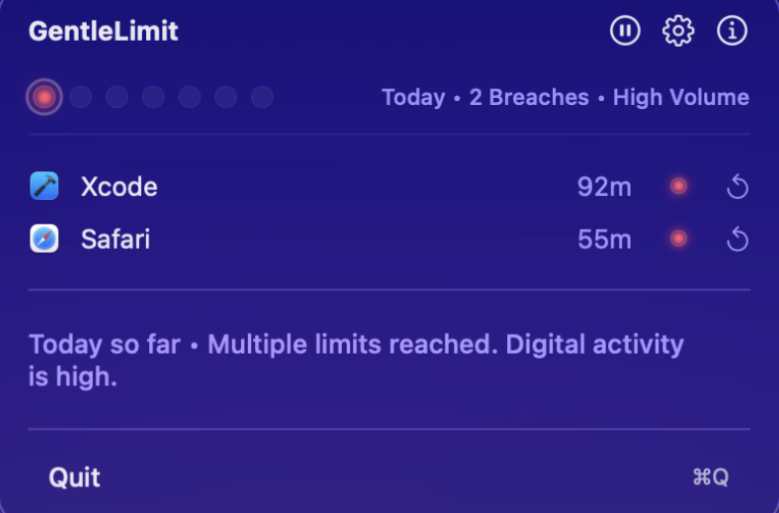
Track sustained sessions and understand immersion patterns. Gentle awareness replaces hard enforcement.
Your Mac. Your rules.
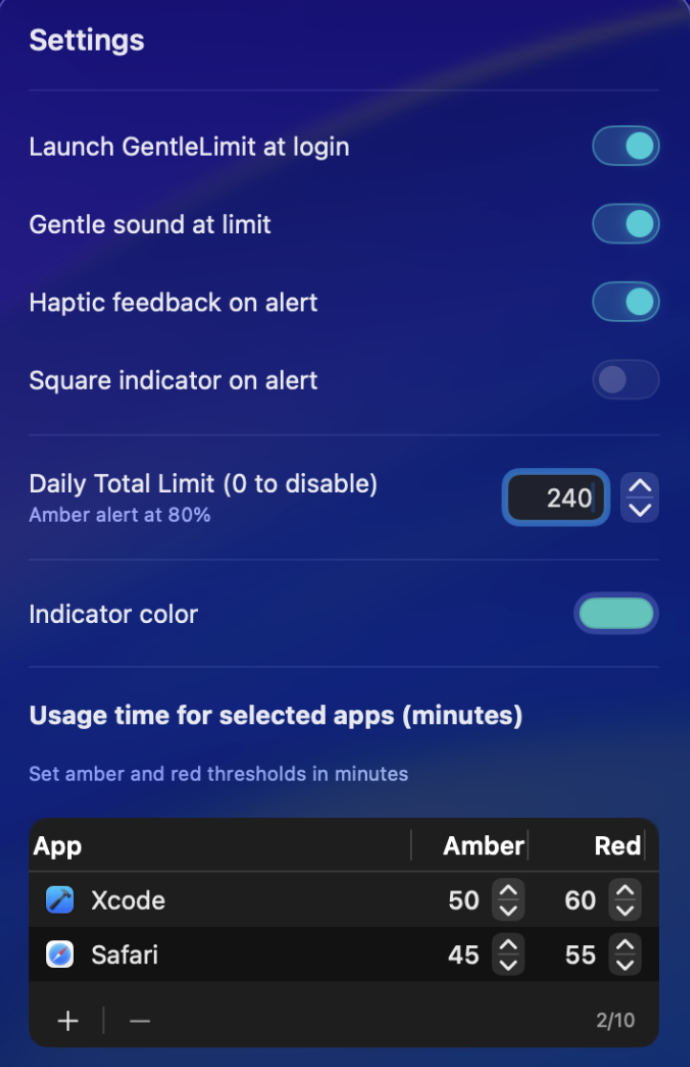
Set limits your way. Customize thresholds, feedback, and signals without blocking your workflow.
Core Features
Visual Awareness
Monitor up to 10 apps with radiant indicators that shift from Green to Amber to Red. A subtle breathing animation signals when a limit is breached.
Daily Usage Limits
Set per-app time limits that fit your day. GentleLimit tracks usage and signals when you're approaching your threshold — without ever locking you out.
The Reflection Engine
GentleLimit understands your rhythm. It analyzes session lengths and immersion patterns to provide a live, one-line reflection on your day.
Menu Bar Native
Lives entirely in your menu bar — no dock icon, no desktop clutter. GentleLimit is always one click away and completely out of the way when you don't need it.
7-Day Streak System
A dashboard of glowing dots visualizes your week. Forgiving persistence means a Red day isn't a failure — just honest data for your active session.
Private by Design
No tracking. No external analytics. Your screen time data never leaves your Mac — all monitoring and analysis run entirely on-device.