DISPLAY CONTROL
DisplayDial
Every display. One dial.
Brightness, contrast, and volume for every connected display — no joystick, no submenus. Hardware control from the menu bar, presets for every context, and brightness that follows the sun.
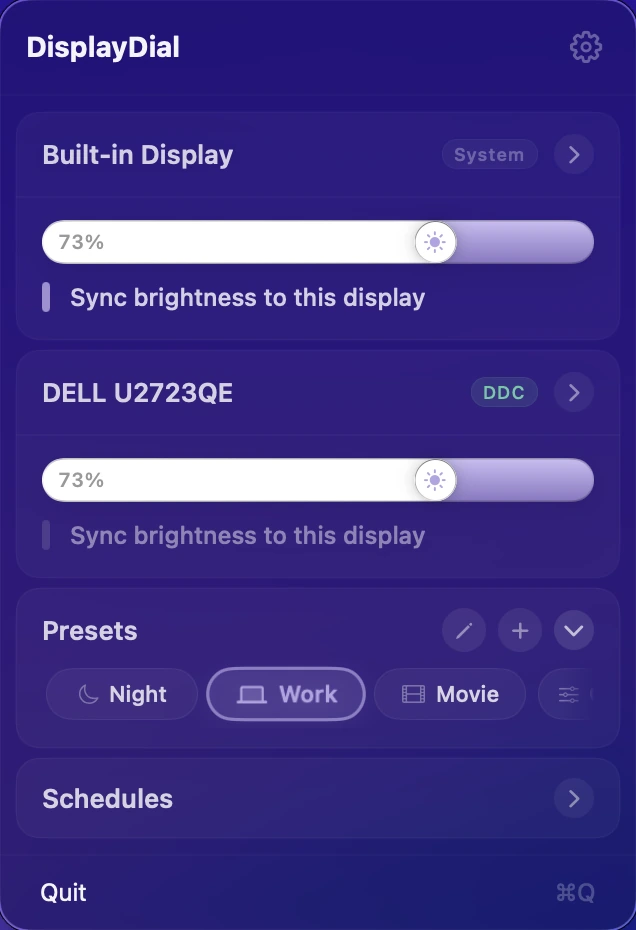
Night. Work. Movie. One tap.
Save your ideal brightness, contrast, and volume for each context. One tap applies everything across all connected displays at once. Trigger any preset from a keyboard shortcut without opening the menu.
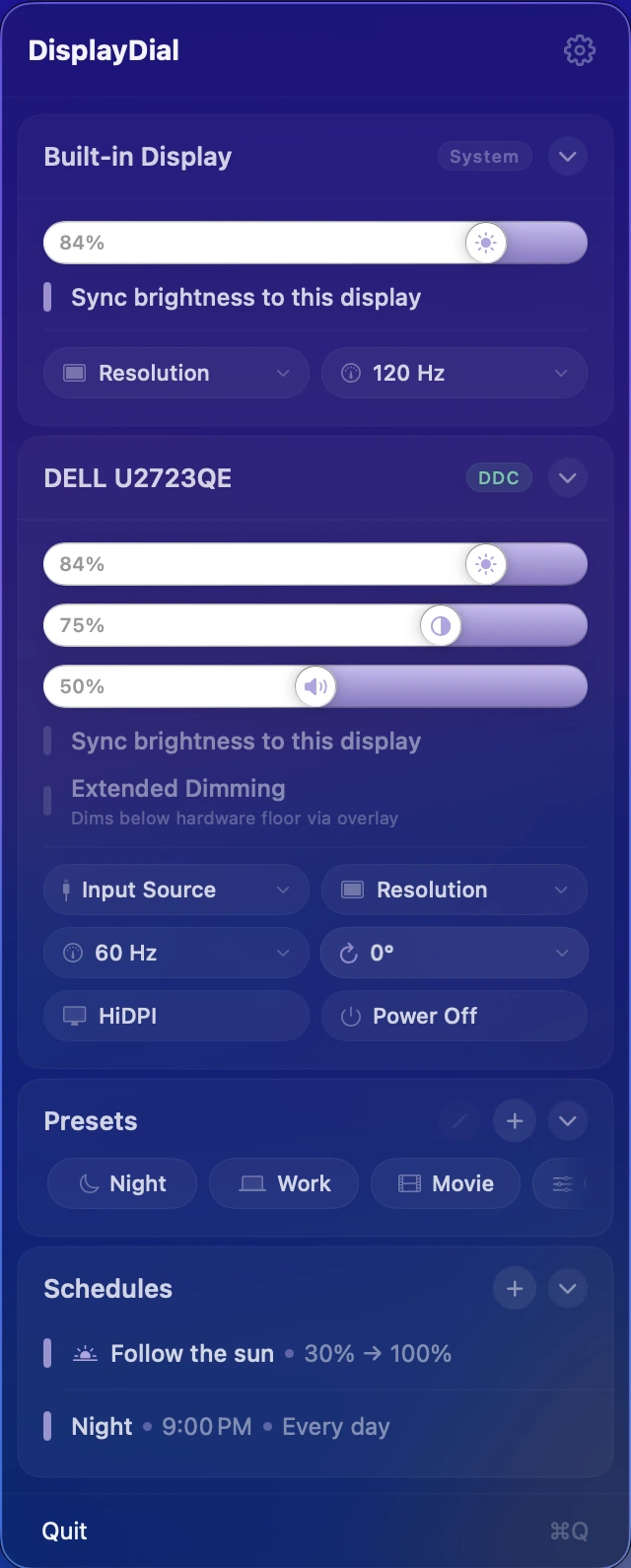
Your monitor, in one card.
Brightness, contrast, volume — plus resolution, refresh rate, rotation, and input. Everything the joystick menu buries, laid out in one menu bar card. DisplayDial talks directly to your monitor's hardware, so the backlight actually changes. No joystick, no OSD, no squinting.
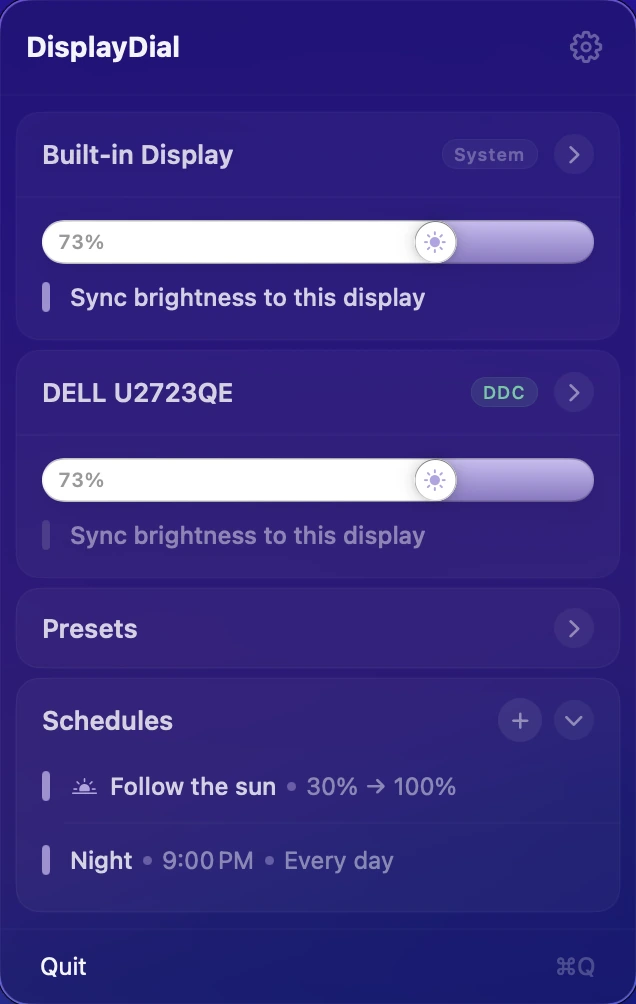
Set it once. Follow the sun.
Schedule any preset at clock time, sunrise, or sunset. Or turn on Follow the Sun — brightness moves along the solar curve all day without a single tap. Touch a slider and it steps aside until morning.
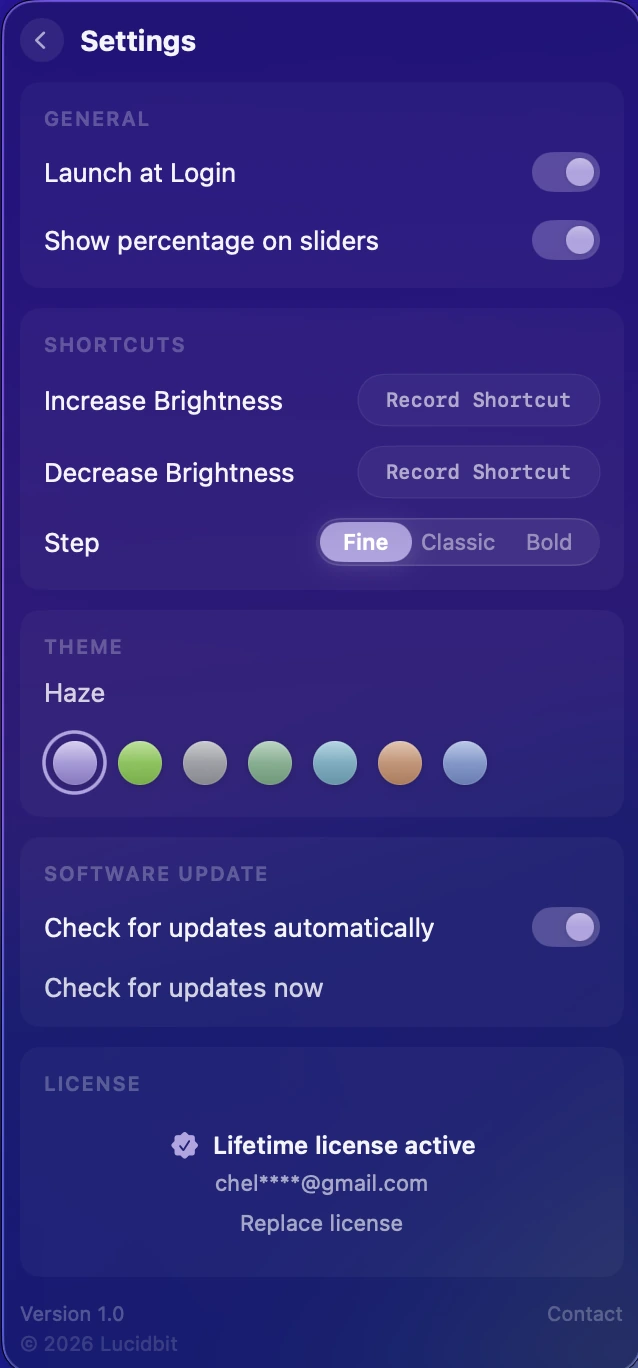
Tune it. Then forget it.
Launch at login, custom brightness shortcuts, and step sizes tuned to how you nudge. Pick a theme to match your desktop, keep your license close, and let updates arrive quietly. Set it up once, then it stays out of your way.
Core Features
True Hardware Control
DDC/CI changes the monitor's actual backlight — the same thing its buttons do, without the buttons.
No jumps. No steps.
Drags, presets, schedules — every change is a paced, eased transition. Adjust brightness at 2am and nothing flashes.
Everything the OSD hides.
Three sliders per external display, one for the built-in. Brightness, contrast, and volume — in one place, not three submenus deep.
Presets
Build a preset once. Trigger it by name or cycle through all of them with a global keyboard shortcut — without opening the menu.
Follow the Sun
Brightness moves along the solar curve all day — dimmer at dawn, brightest at noon, easing toward dusk. Touch a slider and it steps aside until sunrise.
Schedules
Dim at sunset. Brighten at your start time. Fire any preset at clock time, sunrise, or sunset — up to five schedules, per weekday.
Sync Displays
One slider moves all. Sync locks your displays together — even when macOS quietly resets external brightness after sleep or login.
Extended Dimming
Go darker than your monitor's minimum. A software dimmer takes over seamlessly when the hardware can't go further — no visible handoff, no flicker.
Display Controls
Resolution, refresh rate, rotation, input source, power off — with a safety net. Risky changes revert automatically if you don't confirm.
Keyboard Shortcuts
Global hotkeys step brightness on every display at once — Fine, Classic, or Bold increments.
Completely Local
No analytics, no telemetry, no phone-home. What you adjust stays between you and your display.
One-Time Purchase
$6.99 once. Every future update is yours. No subscription, no tiers, no annual fee.
Pricing
One price. Lifetime access.
One-time payment. No subscription. Get lifetime access to DisplayDial on your Mac.
- 7-day free trial
- One-time payment
- Lifetime updates included
- Every feature unlocked from day one
- Native macOS app — Apple Silicon required
- Fully offline & private
Secure checkout by Lemon Squeezy, powered by Stripe. Prices in USD.
FAQ
What does DisplayDial do?
DisplayDial puts every display's controls in your menu bar: brightness, contrast, and speaker volume for external monitors via true DDC hardware control, plus the built-in display through native macOS APIs. Every change glides — no jumps, no steps — the same feel as Apple's own brightness keys, on monitors Apple doesn't control.
Does it really change the monitor's hardware brightness?
Yes. On supported monitors DisplayDial speaks DDC/CI — the same protocol the buttons on the monitor use — so the backlight itself changes, not a software overlay. Displays that don't support DDC fall back to a high-quality gamma dimmer automatically.
What is Follow the sun?
A built-in schedule that moves brightness along the solar curve: dimmer at sunrise, brightest at solar noon, easing back down by sunset, holding your night level after dark. You choose the night and day anchors; the curve does the rest. Any manual adjustment pauses it until the next sunrise.
Will it work with multiple monitors?
Yes — every connected display gets its own card with independent controls, and you can designate one display as the sync leader so the others follow its brightness.
Which monitors are supported?
Most external monitors connected via DisplayPort, HDMI, or USB-C support DDC/CI — the protocol DisplayDial uses to talk to hardware. If your monitor's physical buttons change brightness, DisplayDial almost certainly can too. Monitors that don't support DDC fall back to a high-quality software dimmer automatically. Built-in displays use native macOS control and always work.
Is it Apple Silicon native?
Yes — native arm64, and an Apple Silicon Mac is required. External monitor control over DDC/CI uses the Apple Silicon display path, so brightness, contrast and volume for external monitors are not available on Intel Macs. No Rosetta, no background services, no login items beyond the menu bar icon. Runs on macOS 14 (Sonoma) or later.
Is it a subscription?
No. $6.99 once, with a 7-day free trial. One purchase, all future updates.
From the Blog
How to control external monitor brightness on Mac (2026 guide)
macOS won't dim your external display natively. Here's what actually works — DDC/CI, gamma dimmers, and the trade-offs between each.
Menu bar system monitors on Mac: what to look for in 2026
A framework for evaluating menu-bar monitors on Apple Silicon, plus how the main options stack up.